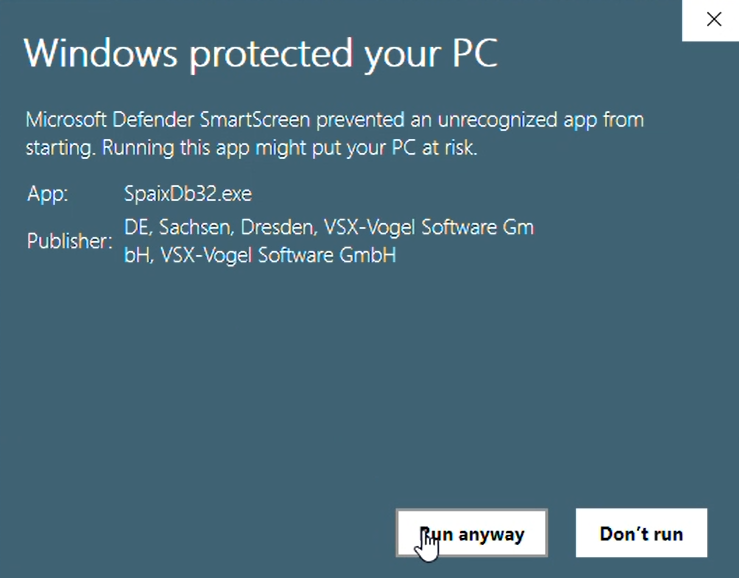
the message “Microsoft Defender SmartScreen prevented an unrecognized app from starting” is displayed by Microsoft Defender SmartScreen to protect users from potentially dangerous or unknown applications. Windows checks whether executable files downloaded from the Internet are signed and how often they have been downloaded. If an application is new or only used by a few users, SmartScreen may not have enough data to classify the application as safe.
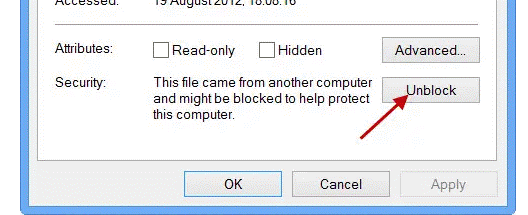
The Spaix applications are signed because the publisher “VSX” is listed. However, if we updated the certificate, enough trust has not yet been established, so the warning from SmartScreen appears. It will take a while before it can be executed without any warning. In the meantime, it should be possible to allow/unblock the message via the right-click context menu in the properties of the program files so that the message does not reappear every time:
The Spaix applications are signed because the publisher “VSX” is listed. However, if we updated the certificate, enough trust has not yet been established, so the warning from SmartScreen appears. It will take a while before it can be executed without any warning. In the meantime, it should be possible to allow/unblock the message via the right-click context menu in the properties of the program files so that the message does not reappear every time:
Was this article helpful?
That’s Great!
Thank you for your feedback
Sorry! We couldn't be helpful
Thank you for your feedback
Feedback sent
We appreciate your effort and will try to fix the article